
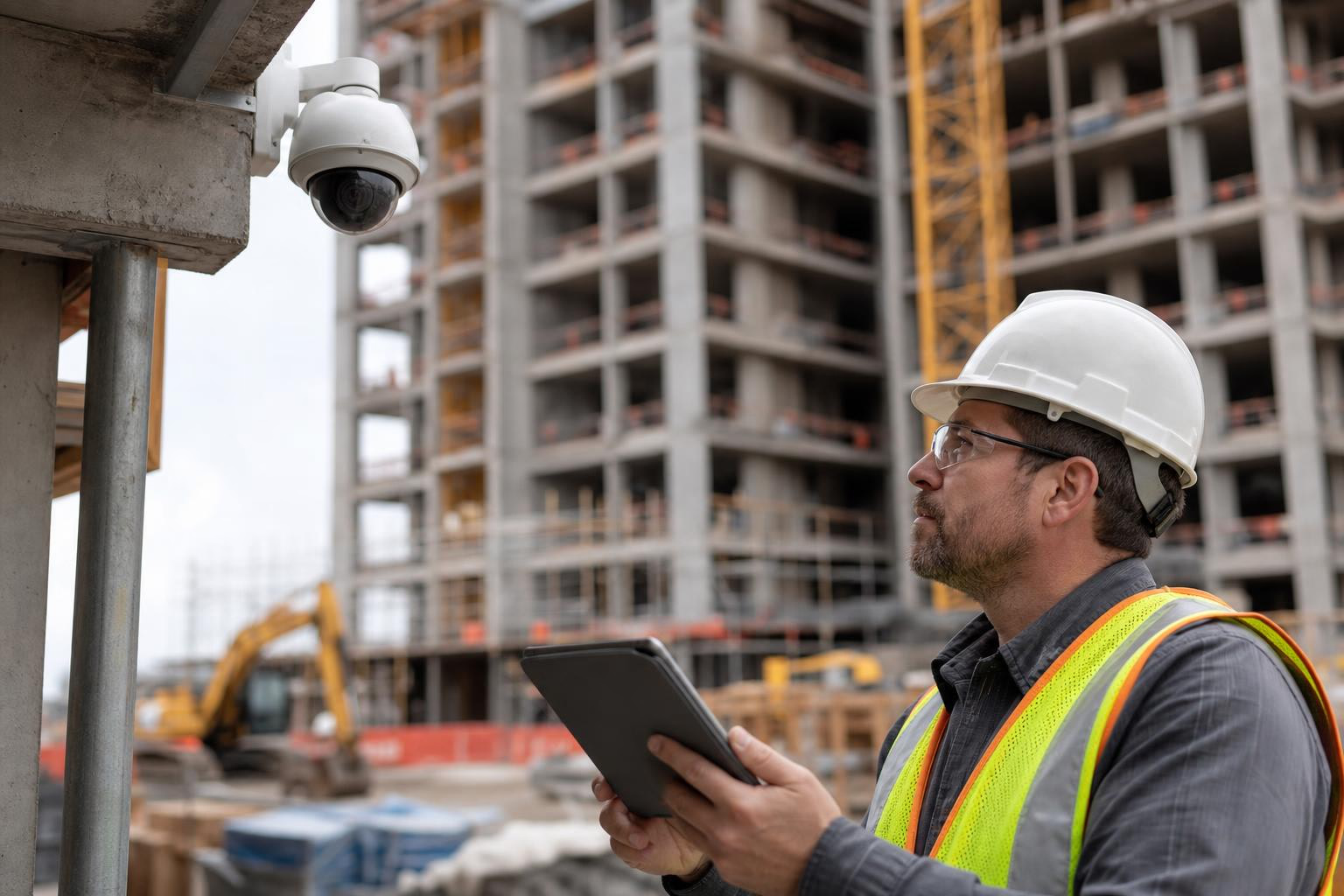
Choosing the right construction camera starts with understanding what you need it to do: document progress, deter theft, stream live views to stakeholders, create time-lapse content, or some combination. This glossary defines the terms found in vendor proposals and explains why each one matters for real jobsite decisions. The right camera is not the one with the highest resolution. It is the system that matches your site’s use case, coverage area, power situation, connectivity, storage, and response plan.
When you request quotes for jobsite cameras, proposals arrive full of terms like PTZ, 4K, LTE, DVR, DORI, solar kit, motion detection, and human-reviewed monitoring. They sound technical, but each one represents a real decision that affects whether your camera system actually works on your site or becomes an expensive disappointment.
The wrong choice leads to blind spots, missing footage, unusable evidence, or time-lapse videos that look terrible. The right choice starts with use case, not brand name. This glossary groups construction camera terms by the decisions they affect so you can decode any proposal and compare vendors on what actually matters.
Before reading further, one formula is worth remembering:
Useful camera output = coverage x pixel detail x uptime x retention x response.
If any single factor fails, the camera disappoints. Blind spots mean missed events. Poor pixel detail means unidentifiable faces. Downtime means the camera is offline during the break-in. Short retention means footage is gone when you need it. No response plan means theft is only discovered the next morning.
Try a live demo camera to see how different camera types perform before committing to a system.
The most common mistake when choosing the right construction camera is starting with specs instead of purpose. A camera chosen for marketing time-lapse may perform poorly as an after-hours security tool. A camera optimized for security monitoring may produce mediocre progress documentation. Define the job first.
What it means: A camera system designed for active construction environments, providing remote visibility, progress documentation, security monitoring, time-lapse, or stakeholder access.
Why it matters: Unlike standard building CCTV, construction cameras must survive temporary, changing environments where power, connectivity, mounting surfaces, and sightlines shift as the project progresses. The U.S. Department of Justice notes that construction sites are vulnerable because they are transitional, often unoccupied, and lack the normal access controls of finished buildings.
What it means: A camera used primarily to document project status over time.
Why it matters: Owners, general contractors, and marketing teams need a reliable visual record. A progress camera should prioritize stable framing, high-quality images, automated time-lapse, archive access, and easy sharing. One contractor interviewed by EarthCam explained that sharing camera links with clients and committees allowed stakeholders to view the project, scrub through the timeline, and send snapshots without visiting the site.
What it means: A camera used to deter, detect, record, and help respond to theft, trespassing, vandalism, or unauthorized after-hours activity.
Why it matters: U.S. construction equipment theft alone is estimated between $300 million and $1 billion annually, with only 10 to 15 percent recovered. Including materials and tools, broader estimates run as high as $1 to $4 billion per year. Security cameras are one layer of protection, but passive recording alone does not stop theft. The camera needs night visibility, adequate pixel density, active alerts, and a response workflow.
What it means: A camera that captures images at set intervals and compiles them into a compressed visual record of the project.
Why it matters: Time-lapse is excellent for stakeholder updates, marketing, and final project recaps. It is not automatically a security system. Time-lapse cameras capture staggered snapshots of project progress, while security cameras monitor the site for theft or damage. Some projects need both.
See what automated nightly time-lapse looks like on real projects:
What it means: A camera used for real-time viewing by the project team, owner, or a monitoring center.
Why it matters: Live monitoring requires dependable connectivity, multi-user access, and (for security use) a clear response process. Without reliable streaming, “live” is just a label on the spec sheet.
Choosing the right construction camera type depends on what you need to see and how the site will change over time. Each type solves a different problem.
What it means: A camera locked to one consistent view.
Best for: Stable time-lapse, entrances, material areas, defined work zones, public project views, and high-resolution documentation of a specific area.
Watch out for: A fixed camera cannot pan to see another part of the site. If the action happens outside the frame, the footage will not help. One project manager on Reddit noted that remote viewers sometimes assumed no work was happening simply because the camera could not see the active area.
Vendor question: “What is the exact field of view at my planned mounting distance?”
Explore the 4K Static Camera for projects where a consistent, high-resolution view matters most.
What it means: A camera that can rotate horizontally, tilt vertically, and zoom in or out, often controlled remotely.
Best for: Large sites, multiple zones, real-time inspection, owner walkthroughs, security review, and variable angles.
Watch out for: A PTZ camera can only look where it is pointed. If no one is controlling it and no preset is active at the right moment, it may miss the incident entirely. This is a critical point that many buyers overlook. PTZ performance depends heavily on active monitoring or well-configured preset schedules because the camera can only view one direction at a time.
Vendor question: “Can I set presets, and can each preset generate its own time-lapse?”
Compare the Standard PTZ Camera and the 4K HD PTZ Camera to understand the trade-offs between flexibility and resolution.
What it means: A camera used inside a building during buildout, renovation, or finish work.
Best for: Retail, restaurant, warehouse, hospital, school, and office interiors where exterior cameras cannot capture meaningful progress.
Watch out for: Interior cameras may need relocation as walls, ceilings, MEP systems, and finishes change around them.
What it means: A self-contained camera system mounted on a tower, skid, or trailer, often with solar power, battery backup, lights, and cellular connectivity.
Best for: Remote or changing sites, large perimeters, laydown yards, and sites without suitable mounting structures.
Watch out for: These systems are typically more expensive and physically conspicuous. They may require space, delivery logistics, and repositioning as the site evolves.
This is where choosing the right construction camera gets tricky. Many buyers fixate on resolution numbers without understanding what those numbers actually deliver at their site distances.
What it means: The number of pixels in the camera image or video. Common labels include 1080p (HD), 4K (Ultra HD), and megapixel counts for still images.
Why it matters: Higher resolution can help, but only if the target is close enough and the lens places enough pixels on the subject. A 4K camera aimed at a wide-angle overview of a 10-acre site may still produce footage where you cannot identify a person at the far fence line.
What it means: The width and height of the area a camera can see.
Why it matters: A wide field of view covers more area but spreads pixels across the scene. A narrower view provides better detail on a specific gate, road, or laydown zone. This is why a sweeping “whole site” view may look great for marketing but fail to identify a person or license plate.
What it means: Pixel density describes how many pixels fall on each meter of the target area (pixels per meter). DORI stands for Detection, Observation, Recognition, Identification, a planning framework from the surveillance industry that connects image detail to the task you expect the camera to perform.
Why it matters: This concept is the single biggest gap in most buyers’ understanding. According to Axis Communications’ DORI guidelines, common pixel-density thresholds are:
Detection (25 px/m): “Something is there.”
Observation (63 px/m): “A person in a dark hoodie entered the gate.”
Recognition (125 px/m): “That looks like the same subcontractor’s truck.”
Identification (250 px/m): “We can clearly identify this person or license plate.”
A 4K camera does not automatically deliver identification-level detail. Pixel density depends on resolution, lens, field of view, distance from the target, lighting, motion, and compression. Ask your vendor what DORI level the camera will achieve at the actual planned distance.
Optical zoom uses the camera lens to magnify the scene before the image is captured, preserving real detail. Digital zoom enlarges pixels in software after capture. It can help during review but does not create detail that was not there to begin with.
What it means: The camera’s ability to capture images in low-light or dark conditions, typically using infrared illumination.
Why it matters: Critical for after-hours security. Most construction theft happens when the site is empty. Without IR capability, the camera is effectively blind at night.
What it means: How well a camera captures usable images in poor lighting without relying entirely on IR.
Why it matters: Important for dusk, early mornings, overcast days, interior spaces, and dimly lit laydown yards where pure IR may not produce the clearest image.
A camera that cannot stay powered and connected is worthless, regardless of how impressive the specs look on paper. Construction sites are temporary and may lack reliable power or internet for weeks or months at the start of the project.
What it means: A camera that transmits over a cellular network instead of site Wi-Fi or wired internet.
Why it matters: Construction sites are temporary, and permanent cabling is expensive, disruptive, and unnecessary for most camera deployments. Cellular connectivity allows plug-and-play deployment without depending on site infrastructure. However, signal strength varies by location. A strong cellular signal at the trailer does not guarantee a strong signal at the pole, roofline, or far corner of the site.
Vendor question: “Which carrier does the camera use, and have you verified coverage at this site?”
What it means: A camera that connects to a local wireless network.
Why it matters: Works when the site has stable internet and good coverage, but early-stage jobsites often have neither. Wi-Fi can also be disrupted by distance, metal structures, trailers, and the constantly changing site conditions that make construction environments unique.
What it means: A camera system powered by solar panels and batteries.
Why it matters: Useful before temporary power is available or where running electrical service to the camera location is impractical.
Watch out for: Practitioners on Reddit report that solar and battery cameras can struggle in high-traffic areas with poor winter sun exposure. One user noted that cameras on active construction sites were “constantly dead” compared to cameras on low-activity properties because frequent motion triggers drained batteries faster than panels could recharge them.
Solar design must account for geography, shade, season, panel angle, camera power draw, upload frequency, and motion-trigger volume. Learn more about solar power kits designed for 24/7 jobsite operation.
What it means: Battery storage that keeps the camera running when solar input, AC power, or generator power is unavailable.
Why it matters: Ask how long the battery supports normal operation under realistic conditions, not just ideal lab specs. The camera that dies at 2 AM is the camera that misses the break-in at 3 AM. As one Reddit user in r/Construction put it, cheap options often fail and dead batteries are most likely when you need the camera most.
What it means: How often motion events, alerts, uploads, or live views cause the camera to wake, record, transmit, or draw power.
Why it matters: High-trigger sites burn more power and data. If the camera records every passing car, every flapping tarp, and every gust of wind, the battery drains fast and the data plan may spike. This is especially relevant for solar-powered setups.
What it means: The amount of data transmitted by the camera over cellular or internet connections.
Why it matters: Live streaming, high-resolution uploads, and frequent motion clips consume significant data. Some providers cap or throttle bandwidth after a threshold, which can degrade live viewing or delay uploads at the worst possible time. Buyers should ask whether bandwidth is included or metered.
Compare camera pricing to see what is included in monthly service, such as bandwidth, storage, and support.
What it means: Recorded video available for review after it is captured.
Why it matters: Essential for theft review, incident investigations, delay disputes, and site activity verification. Buyers should ask how many days of continuous 24/7 video are retained and what happens when that window expires.
What it means: How long recorded video or images remain accessible before being overwritten or archived.
Why it matters: Short retention windows are fine for quick review but risky if incidents are discovered late. Equipment theft may not be noticed until after a weekend, which means footage from Friday night could already be gone by Monday afternoon if the retention window is too narrow.
Cloud storage keeps images or video on an online platform, accessible from anywhere with login credentials. Edge recording stores footage locally on the device or onsite hardware. Edge recording can reduce data usage and preserve footage during connectivity interruptions, but if the camera is stolen or damaged, the local recording goes with it.
What it means: Long-term saved images, videos, or time-lapse assets and the ability to download them.
Why it matters: Important for closeout, owner handover, marketing, insurance claims, and lessons learned. Ask whether exports are self-serve, whether long clips cost extra, what formats are available, and whether access remains after the project ends and the camera is returned.
What it means: How many people can view or interact with the camera platform at the same time, and what controls determine who can view, control, export, or share content.
Why it matters: Owners, GCs, architects, subcontractors, lenders, marketing teams, and public agencies may all need access. If the system limits you to five concurrent viewers, the Monday morning progress meeting could lock everyone else out. Look for platforms that support dozens of simultaneous users and offer permission tiers so different stakeholders see what they need without shared logins.
What it means: A live or updated camera view embedded on a public website.
Why it matters: Useful for public projects, donor and investor updates, municipal transparency, campus projects, and marketing. Ask whether embeds are included in the service or cost extra.
Choosing the right construction camera for security is fundamentally different from choosing one for progress documentation. Security value depends on detection quality and response speed, not just recording.
What it means: A camera or software feature that detects movement in the scene.
Watch out for: Basic motion detection triggers on everything, including wind, tarps, headlights, animals, tree branches, and passing traffic. Practitioners on r/ConstructTech describe this as the weak point that actually breaks down on most jobsites. If the system cannot distinguish a tarp flapping from a person entering after hours, the camera becomes useless as a deterrent because teams stop checking alerts.
What it means: Software that classifies detected activity by type (humans, vehicles, or other objects) to reduce irrelevant alerts.
Why it matters: Only useful if it actually reduces noise and improves accuracy. Ask how the detection is tuned and whether it can handle authorized workers, moving equipment, headlights, flags, and weather-related motion.
False alarm: An alert triggered by harmless or authorized activity. Alert fatigue: What happens when users receive so many alerts they stop paying attention.
Why it matters: This is one of the biggest real-world camera failures. A user managing multiple unattended sites on Reddit described motion alerts from deer, swaying branches, and headlights that turned cameras into forensic tools rather than deterrents. Another user described early-morning concrete crews triggering monitored alerts and causing unnecessary calls to supervisors. The problem is not the camera hardware. The problem is signal-to-noise in the alerting system.
What it means: A service where trained operators review alerts or live feeds and decide whether to intervene or escalate.
Why it matters: Human review filters false alarms and coordinates real response. Passive systems record activity for later review. Monitored systems allow operators to detect suspicious activity, issue warnings, and escalate to contacts or law enforcement. The difference between passive and monitored is the difference between finding out about a theft Monday morning and potentially stopping it Saturday night.
Vendor questions to ask:
Who reviews alerts after hours?
How are authorized early-morning or late-night workers handled?
What is the escalation sequence?
How are false alarms tuned over time?
If after-hours security response is a priority, discuss monitoring options with a provider that offers human-reviewed alerts and talk-down capability.
What it means: A speaker connected to the monitoring system that allows an operator to verbally warn intruders in real time.
Why it matters: Talk-down converts passive camera visibility into active deterrence. A voice saying “You are being recorded, leave the premises immediately” is far more effective than a blinking red light.
What it means: Visual or audible deterrents triggered by an alert or operator command.
Why it matters: Useful for after-hours deterrence, but should be paired with schedule rules that avoid disturbing authorized workers.
What it means: The documented process for what happens after an alert is verified as a genuine concern.
Why it matters: Ask who receives the first call, when operators use talk-down, when law enforcement is contacted, and how the protocol changes for scheduled after-hours work like concrete pours or weekend inspections.
Two credentials worth asking about when evaluating monitored camera vendors:
UL Listed monitoring center: A monitoring station evaluated by UL Solutions for compliance with standards such as UL 827, with annual audits for continued compliance.
TMA Five Diamond: A designation from The Monitoring Association for monitoring centers meeting requirements around quality standards, operator training, customer service, and false-dispatch reduction.
These are not guarantees of perfection, but they are legitimate criteria when comparing providers.
Camera placement determines whether the system captures what matters. The best camera aimed at the wrong spot is a waste of money.
What it means: The planned physical location, height, angle, and target view of a camera.
Why it matters: Effective placement should prioritize entry and exit points, perimeter vulnerabilities, tool storage, equipment yards, and high-value material laydown areas. Coverage planning matters more than camera count. Two well-placed cameras will outperform five poorly positioned ones.
What it means: How high the camera is installed.
Why it matters: Higher mounting improves the overview and reduces tampering risk, but if the angle is too steep or the target is too far away, detail on faces or license plates degrades. There is a sweet spot between panoramic visibility and usable detail.
What it means: Areas the camera cannot see.
Why it matters: Blind spots create false confidence. Project managers on Reddit have complained that cameras can cause misunderstandings when remote viewers assume they are seeing the full picture. No single camera covers an entire site. Map your blind spots and decide whether they are acceptable risks or need additional coverage.
Laydown yards (where materials and equipment are stored) and access points (gates, driveways, controlled entries) are the highest-priority camera zones on most sites. Laydown yards hold valuable targets. Access points capture vehicle and personnel flow and may require narrower field of view with higher pixel density than a general overview camera.
What it means: Saved PTZ positions that allow a camera to automatically return to specific angles on a schedule.
Why it matters: Presets can make a single PTZ camera functionally cover multiple views. For time-lapse, each preset can create a separate, consistent visual record of a different area, which effectively multiplies the value of one camera.
Construction cameras are not only security tools. They create communication assets, historical records, and visual proof that serve the project long after the camera comes down.
What it means: How often the camera captures images for time-lapse compilation.
Why it matters: Shorter intervals create smoother videos with more detail but may increase data, storage, and processing requirements. Most automated systems stitch nightly, producing a continuously updating time-lapse throughout the project.
What it means: Weather data displayed alongside camera images or project records.
Why it matters: Valuable for rain-delay documentation, owner updates, and context around work stoppages. A contractor featured by EarthCam highlighted weather data and visual documentation as useful for liability, force majeure, and insurance discussions. When a dispute arises about whether weather actually prevented work, timestamped images paired with weather data provide hard evidence.
Image comparison places two project images side by side to show progress between dates. Tagging labels saved images for faster retrieval. Both features reduce the time spent digging through thousands of photos when you need to document a milestone, dispute a claim, or prepare a pay application.
What it means: Sharing camera access, images, links, or time-lapse with owners, architects, investors, or the community.
Why it matters: Reduces unnecessary site visits and keeps non-field stakeholders informed. This is especially valuable for public projects, campus builds, or any situation where the client or investor wants to watch progress without suiting up.
Worth clarifying: fixed exterior cameras are excellent for continuous visual history, security, weather records, and stakeholder viewing. They are not a complete replacement for detailed interior progress tracking. Practitioners on Reddit note that on large or complex projects, owners may need mapped interior views, plan-linked photos, or 360 documentation platforms. Construction cameras and interior documentation tools serve different purposes. Many projects use both.
IP (Ingress Protection) ratings are defined by IEC 60529. The rating has two digits: the first describes protection against solids like dust, and the second describes protection against liquids.
IP66 means dust-tight and resistant to powerful water jets. IP67 means dust-tight and protected against temporary immersion. Counterintuitively, IP67 does not automatically mean the device has passed IP66 jet testing because the two tests measure different exposures.
For construction cameras, IP66 is generally the more relevant rating since jobsites deal with rain, dust, wind-blown debris, and pressure washing rather than submersion. Beyond the number itself, ask about enclosure quality, cable glands, connectors, wind tolerance, operating temperature range, and what the vendor does if weather damages the unit.
Use this table as a starting point when choosing the right jobsite camera for a specific project need.
If you need… | Prioritize… | Watch out for… |
|---|---|---|
Marketing time-lapse | Fixed 4K, stable view, automated time-lapse, archive, sharing | Camera moved mid-project breaks the visual continuity |
Owner/stakeholder updates | Live web access, multiple users, embeds, scheduled images | Login bottlenecks or limited concurrent viewers |
After-hours security | Motion/person detection, IR, monitoring, talk-down, escalation | False alarms, poor night detail, no response plan |
Large-site visibility | PTZ with presets, multiple cameras, placement planning | PTZ blind spots when pointed elsewhere |
No site internet | Cellular LTE/5G, carrier coverage, antenna options | Weak signal areas, data caps, throttling |
No site power | Solar kit, battery backup, power budgeting | Winter shade, high trigger rate, undersized panels |
Dispute/weather records | Timestamped images, weather overlay, long retention, export | Retention too short, missing archive or export rights |
Multi-site management | Cloud platform, multi-project access, cellular | Per-site support and data costs |
Use this checklist when evaluating vendors and comparing proposals:
What is the primary use case: security, progress, time-lapse, live view, documentation, or a combination?
What exact areas must be visible, and have you mapped them on a site plan?
What level of detail is required at those distances: detection, observation, recognition, or identification?
Will the site have AC power at mobilization?
Will the site have reliable internet, or is cellular required?
Which cellular carrier has the strongest coverage at the planned camera locations?
How many users need simultaneous access?
How long are images and video retained before being overwritten?
Is 24/7 continuous video history included, or only snapshots and time-lapse?
Are bandwidth and storage capped, metered, or unlimited?
Who reviews alerts after hours?
Can the monitoring team use talk-down audio?
What is the escalation protocol, and how are false alarms handled?
How are authorized early-morning or late-night workers handled in the alert workflow?
What support, troubleshooting, replacement, and uptime monitoring are included?
Can footage be exported at project close, and in what formats?
Can the camera be reused or transferred to future projects?
Is purchase or lease better for this project duration?
What weatherproofing rating does the camera carry?
Can stakeholders view the camera without sharing login credentials?
Ready to match these questions to your next project?
It depends on the job. Fixed cameras are strongest for stable progress views and time-lapse. PTZ cameras are strongest for flexible live viewing and remote inspection. Solar and cellular systems solve power and connectivity gaps. Monitored security cameras are best when after-hours response matters. Most mid-size to large projects benefit from a combination of types.
Not always. PTZ provides remote control and zoom, but it can only see the direction it is currently pointed. Fixed cameras provide consistent views ideal for documentation and time-lapse. On smaller projects, a fixed camera may be all you need. On larger projects, PTZ flexibility adds value, especially with preset schedules that cover multiple angles.
No. Many jobsite cameras use cellular LTE or 5G because construction sites often lack reliable Wi-Fi or permanent cabling. Cellular deployment is typically faster and avoids dependence on site infrastructure that may not exist during early project phases.
Not by itself. Identification depends on pixel density at the target distance, not just raw resolution. A 4K camera with a wide field of view covering a large area may only achieve detection-level detail at the far edges. Use DORI thresholds to match camera capability to your actual identification requirements.
Sometimes, but the requirements differ. Time-lapse prioritizes consistent framing and progress visuals. Security prioritizes night visibility, motion detection, alerts, monitoring, and response. Some systems serve both purposes reasonably well, but a beautiful time-lapse does not automatically provide usable security evidence, and a security camera may not produce a polished progress video.
Ask how long video and images are stored, whether storage is capped, whether you can export footage, what happens to archives after project close, and whether access remains available once the camera is returned or the service ends. Short retention windows combined with no archive option can leave you without critical evidence.
They can be if properly designed and placed. Reliability depends on sun exposure, season, shade, battery capacity, camera power draw, and how frequently motion triggers or uploads occur. Sites with constant motion and poor winter sun are the hardest environments for solar. Ask your vendor about panel sizing, battery specifications, and real-world uptime data from similar deployments.
It is a service where trained operators at a monitoring center review alerts, verify whether activity is a genuine threat, use talk-down audio if available, and escalate to site contacts or law enforcement according to an agreed protocol. This transforms a passive recording system into an active security layer. Ask whether the monitoring center holds credentials like UL listing or TMA Five Diamond designation.