
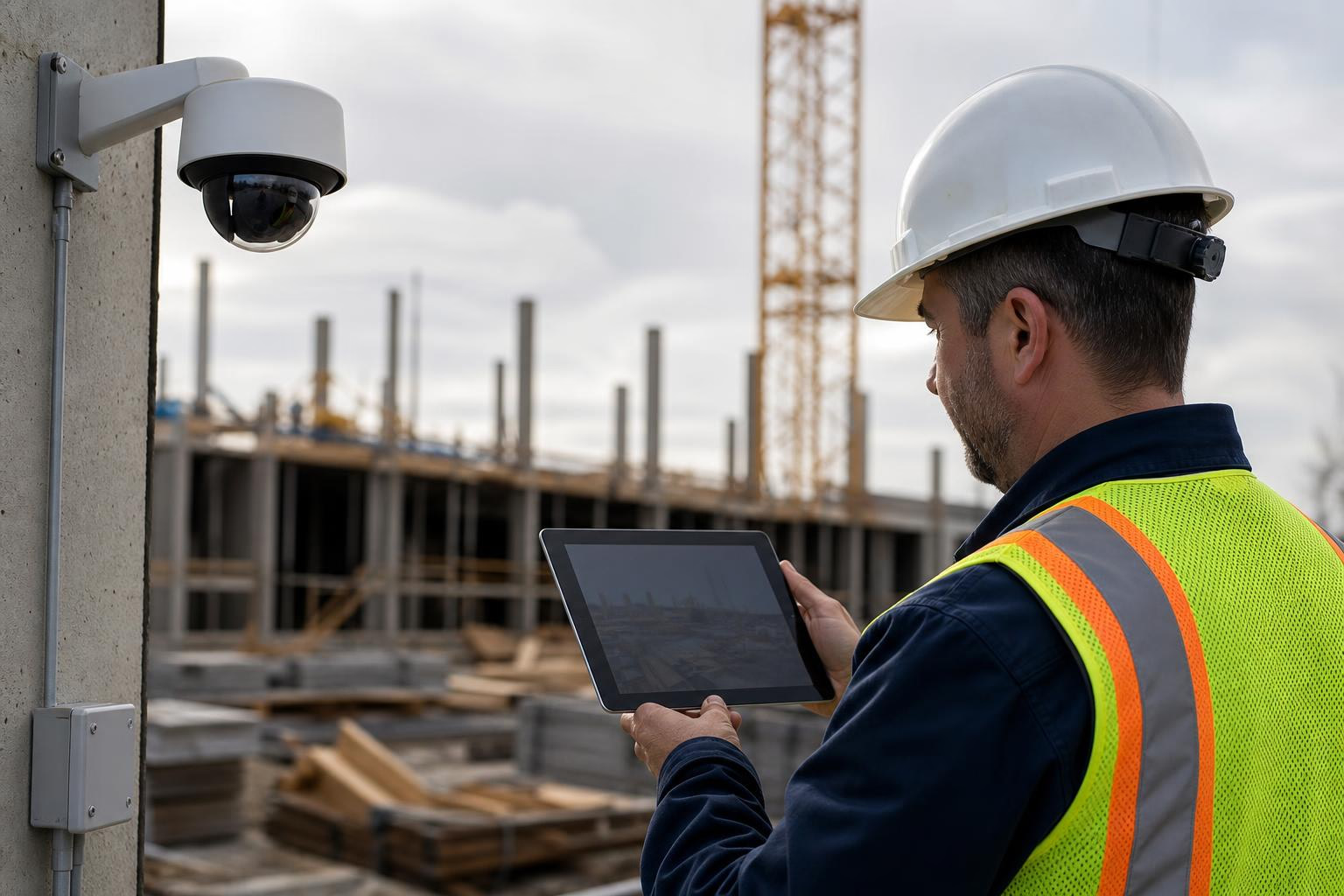
Remote monitoring uses internet-connected cameras, sensors, and software to observe a construction site from anywhere. It goes beyond a simple live feed to include recorded footage, time-lapse documentation, motion alerts, and response workflows. The real value depends not just on the camera, but on power, connectivity, placement, alert quality, and whether someone actually reviews what the system captures. This guide covers how remote monitoring works on a jobsite, what it can and cannot do, and what to look for before choosing a system.
Construction sites change every day. Crews rotate, materials arrive, weather shifts, and security risk climbs after hours. Remote monitoring gives project teams a way to see, document, and respond to what is happening on site without driving there.
But the term gets used loosely. Some people mean a live camera feed. Others mean a full system with cloud storage, alerts, human verification, and multi-site access. Understanding the difference matters, because the gap between a passive camera and an active monitoring workflow is where most of the value lives.
Try a live camera demo to see what remote construction monitoring looks like in practice.
Remote monitoring is the use of connected cameras, sensors, software, and alerts to observe a site or asset from another location. Broadly, it applies to IT infrastructure, healthcare, industrial equipment, and more. In construction, remote monitoring usually means using jobsite cameras and cloud access to view live conditions, document progress, review recorded footage, create time-lapse updates, and respond to after-hours activity without being physically on site.
Solink’s glossary defines remote monitoring as overseeing operations, security, or equipment from anywhere using internet-connected technology, video surveillance, sensors, analytics, and mobile or web access. Tractian’s industrial glossary describes it as sensor-based data capture, transmission, cloud processing, dashboards, and alerts.
On a construction project, though, the concept is more specific. It is about site visibility: can the owner check progress from another state? Can the PM review what happened overnight? Can a monitoring center verify whether that 2 a.m. motion alert is a raccoon or someone cutting a fence? Can the team build a time-lapse that summarizes six months of work in 60 seconds?
Remote monitoring in construction covers all of these. It combines live viewing, recorded history, time-lapse documentation, alerts, stakeholder access, and sometimes human-reviewed security into one system.
A useful way to think about remote monitoring is as a five-step workflow: Capture, Connect, Store, Interpret, Act. Each step matters, and a weakness at any point can undermine the whole system.
Cameras and sensors collect visual data from the jobsite. Common camera types include fixed (static) cameras that provide a consistent wide-angle view, PTZ (pan-tilt-zoom) cameras that cover multiple angles from one unit, and solar-powered cameras for sites without grid power. Features like HD/4K resolution, weather resistance, night vision, and motion detection determine how useful the footage actually is.
Video and image data must get off the jobsite. This is where connectivity becomes critical, especially during early construction phases when sites often lack stable internet. Built-in 4G LTE enables remote live viewing from day one without site internet. Other options include 5G, Starlink satellite, local Wi-Fi, Ethernet, and point-to-point wireless. SentryPODS lists LTE/5G, Starlink, Wi-Fi, Ethernet, SATCOM, and point-to-point wireless among options for sites without existing infrastructure.
If the site does not have Wi-Fi yet, a cellular construction camera can still transmit images and video through a carrier network.
Remote monitoring depends on access to both current and historical data. Cloud platforms enable remote access, sharing, and centralized footage management across multiple projects. Edge storage (like SD cards or local hard drives) can provide backup if connectivity drops temporarily. The two approaches complement each other rather than compete.
How long footage is retained matters. Short retention windows mean older footage disappears before disputes or claims arise. Long retention, combined with unlimited image archiving, gives teams a more complete record.
This is where monitoring becomes more than recording. The system needs to distinguish important events from noise. AI video analytics can differentiate moving vegetation or animals from genuine threats, track suspicious behavior like loitering, and assist in poor lighting with infrared or thermal imaging.
Practitioners on Reddit echo this concern directly. In one r/ConstructTech discussion, a commenter argued that the real issue is alert signal-to-noise. If false alerts pile up, teams mute notifications and the system loses its value entirely.
The final step is response. A project manager reviews footage. A stakeholder checks progress. A monitoring center verifies an intrusion, issues a speaker warning, calls the site contact, or dispatches police. Without this step, remote monitoring is just remote recording.
As one practitioner put it in a Reddit thread on construction cameras: someone must actually watch or respond for “monitoring” to be more than a passive feed.
Most discussions about remote monitoring treat it as one thing. It is not. There are distinct levels, and knowing where your project falls helps you choose the right system.
Level 1: Remote check-in. Users manually open a live view or image feed from their phone or browser. Good for owners and PMs checking progress. The risk: no one sees problems unless they log in.
Level 2: Recorded monitoring. Video and images are stored for later review. Useful for disputes, damage documentation, delay claims, and project closeout. The risk: there is too much footage to review manually without some filtering.
Level 3: Automated alerting. Motion rules or AI send notifications when something happens, particularly useful for after-hours activity, access points, and laydown yards. The risk: poorly tuned alerts create fatigue, and teams stop paying attention.
Level 4: Human-reviewed monitoring. A monitoring center verifies alerts before escalating. Best for high-theft sites, expensive equipment, and urban or remote jobs. This adds cost, but the response plan is far more reliable.
Level 5: Integrated project visibility. Cameras, time-lapse, users, permissions, sharing, reports, and records are managed across multiple projects in one system. This is what owners and general contractors with distributed portfolios need most.
Most vendor pages hint at these levels but rarely explain them this clearly. Understanding them helps you avoid paying for Level 4 when you only need Level 2, or expecting Level 1 to do the work of Level 5.
Compare construction camera features to see which capabilities match your project needs.
Remote monitoring helps owners, project managers, and executives check site conditions without driving to the jobsite. It reduces unnecessary windshield time, especially for teams overseeing distributed projects. A superintendent checks a live camera before dispatching a crew. An owner reviews daily progress from another state.
This does not eliminate site visits. It reduces the ones that are purely informational.
Time-lapse is one of the strongest construction-specific applications of remote monitoring. Cameras capture images at set intervals over months or years and compile them into a fast-motion visual history of the project. TrueLook explains that this creates documentation continuity from a fixed vantage point, which is valuable for comparing phases, verifying progress, and reconstructing events.
Time-lapse is not just marketing material. It is a compact way to communicate progress to owners, lenders, executives, public agencies, and future clients.
Construction theft is a serious business risk. NICB/NER estimates commonly cited in the industry put heavy construction equipment theft at $300 million to $1 billion per year, not including tools or property damage. Downstream costs like project delays, penalties, and replacement fees push the real impact even higher.
Remote monitoring can help deter, detect, document, and accelerate response. Visible cameras, signage, lights, speakers, and monitoring centers make opportunistic theft harder. But cameras alone do not guarantee prevention. Use them alongside fencing, lighting, access control, asset records, and a clear response plan.
Camera footage can help teams review working conditions, access patterns, and incident context. Some practitioners on Reddit mentioned using clips for safety discussions and toolbox talks.
That said, remote monitoring does not replace OSHA-required controls, training, supervision, PPE, or competent-person duties. BLS reported 1,032 fatalities among construction and extraction workers in 2024. Cameras can support awareness, but the safety program itself must stand on its own.
Construction teams use camera archives to verify when work happened, document site conditions at specific moments, review material deliveries, and support conversations about delays or damage. Reddit users have shared first-hand examples of cameras catching near misses or property damage that changed accountability discussions.
Camera footage works best as corroborating evidence, paired with daily reports, RFIs, schedules, weather logs, and inspection records.
A contractor on Reddit’s r/Construction forum described wanting one service for security, progress tracking, time-lapse, and marketing across multiple active sites. Commenters compared several providers and emphasized the importance of multi-job workflows and photo documentation. Multi-site access is a bigger pain point than many vendor pages acknowledge. Look for systems that handle accounts, permissions, camera grouping, and stakeholder access from a centralized portal.
Faster situational awareness. Teams get a current visual view before making calls, dispatching staff, or approving next steps. Verizon’s surveillance overview connects 4G/5G video streaming with near-real-time situational awareness for authorized personnel.
Reduced travel burden. Remote visibility cuts unnecessary check-ins, particularly for owners, consultants, and PMs overseeing projects in different cities or states.
Better stakeholder communication. Live views, shared images, embedded feeds, and time-lapse updates keep owners, lenders, public agencies, and executives informed without requiring them to visit the site.
Continuous visual record. A fixed camera creates a consistent vantage point over time. This consistency is what makes progress comparisons, phase documentation, and event reconstruction possible.
Stronger security posture. Visible cameras, alerts, and monitoring centers create layers of deterrence and response that go beyond a locked gate.
This is where honest content matters. Practitioners are skeptical of overclaiming, and they should be.
It cannot replace the superintendent. A recent r/ConstructionManagers thread was direct: “no camera can replace a person on the ground” for actual progress tracking. Cameras support visibility. They do not manage subcontractors, run inspections, or make field decisions.
Bad placement makes cameras nearly useless. The same discussion noted that cameras “barely in random places” reduce usefulness. The most important setup decision is not brand. It is camera position.
False alerts kill adoption. If the system cannot distinguish a tarp flapping from someone climbing the perimeter at 2 a.m., teams will mute notifications. As one practitioner on Reddit put it: if alerts are noisy, remote monitoring becomes remote ignoring.
Consumer cameras often fail on commercial jobsites. Reddit discussions mention Ring, Reolink, trail cameras, and DIY setups as budget options. For a small residential remodel, a consumer cellular camera may be enough. For a commercial project with multiple stakeholders, retained footage, time-lapse needs, and after-hours security, a purpose-built construction camera service is usually easier to manage and more reliable.
Footage is not always actionable. One Reddit user in a no-power, no-internet discussion argued that even clear video may have limited value if local enforcement cannot identify the person. Remote monitoring should be paired with lighting, signage, access control, and realistic evidence expectations.
Many construction sites lack stable internet during mobilization. Cellular connectivity is what makes early-phase remote monitoring possible. Cameras with built-in LTE transmit images and video through carrier networks, so the system works from day one. OxBlue, TrueLook, and SentryPODS all emphasize this capability, and for good reason: it solves the most common deployment blocker.
Solar matters for early-stage, remote, civil, infrastructure, and utility sites. OxBlue’s solar guide explains that solar panels capture energy, store it in a rechargeable battery, and can power the camera’s cellular connection around the clock. But it is not magic. Panels should face south at roughly 45 degrees, avoid shade from buildings or trees, and have enough battery capacity for cloudy stretches.
For sites with limited or no power, a solar power kit designed specifically for construction cameras simplifies deployment compared to piecing together consumer components.
HD and 4K video consume significant data. A practitioner on Reddit warned that HD video eats through data quickly, sometimes requiring timer-based operation to manage costs. Live streaming, high resolution, capture frequency, and retention duration all affect bandwidth. Systems with unlimited bandwidth and storage included in the monthly service remove the guesswork from budgeting.
Understanding the terminology helps buyers compare options without getting confused by marketing language.
Remote viewing means someone can open a live feed from off-site. It is usually passive and may not include recording, alerts, or response.
Remote surveillance is security-focused: watching for trespass, theft, vandalism, and after-hours activity. Remote monitoring includes security but also covers progress documentation, time-lapse, stakeholder updates, and operational oversight.
Remote guarding adds people to the loop. A camera or AI flags an event, then a monitoring center verifies the threat and can trigger talk-down, contact site personnel, or dispatch police.
CCTV refers to closed-circuit video, often local cameras recording to a DVR or NVR. Modern remote monitoring usually adds cloud access, mobile viewing, alerts, analytics, and multi-site management.
Time-lapse is a documentation output, not the full monitoring workflow. The same camera system that produces time-lapse may also provide live viewing, cloud access, and security functions.
Asset tracking monitors equipment location, fuel, and diagnostics. Video-based remote monitoring shows site conditions visually. They answer different questions: “Where is the asset?” versus “What is happening on the site?”
Before choosing a system, ask these questions:
Does it work without site Wi-Fi? If it requires existing internet, it will not help during early phases when you need visibility most.
How is it powered? AC, solar, battery, or generator? Can it support off-grid placement?
What camera types are available? A 4K static camera provides a consistent wide view for progress documentation. A 4K PTZ camera covers multiple angles from one unit using presets, each of which can generate its own time-lapse.
How long is footage retained? Short retention windows mean evidence may disappear before you need it.
Can alerts be filtered? Systems that cannot tune out wind, animals, and passing traffic will generate constant false positives.
Is human monitoring available? For high-value or high-risk sites, having a monitoring center that verifies alerts and escalates real threats changes the security equation.
Can multiple stakeholders access it? Owners, GCs, subs, and consultants should have their own accounts and appropriate permissions without sharing logins.
What does the cost include? Ask about hardware, monthly service, bandwidth, storage, monitoring add-ons, leasing options, shipping, support, and replacement terms. Transparent pricing makes budgeting easier.
View construction camera pricing for a breakdown of hardware, service, and monitoring costs.
Because jobsite cameras may capture workers, visitors, neighbors, and public areas, contractors should use clear signage, written monitoring policies, appropriate camera placement, and access controls. This is especially important when audio recording, AI analytics, or multi-state projects are involved. The NLRB protects employees’ right to act together around wages, benefits, and working conditions, which means surveillance should never be used in ways that interfere with protected activity. When in doubt, get legal review.
Remote monitoring is the use of internet-connected cameras, sensors, software, and alerts to observe a site, asset, or activity from another location. In construction, it typically involves jobsite cameras with cloud access for live viewing, recorded footage, time-lapse, and alert-based response.
Yes. Systems with built-in cellular LTE or 5G connectivity transmit data through carrier networks, so they work on sites with no existing internet. Satellite options like Starlink are also available for extremely remote locations.
Yes, if the system includes properly placed panels and sufficient battery storage. Panels should face south, avoid shade, and have enough capacity for cloudy days and nighttime operation.
It can help deter, detect, document, and speed response, but it does not guarantee prevention. Pair it with fencing, lighting, signage, access control, asset records, and a clear response plan for the best results.
Remote monitoring can be self-managed, with the project team reviewing footage and responding to alerts. Remote guarding adds a professional monitoring center that verifies alerts in real time and can escalate through speaker warnings, site contacts, or law enforcement dispatch.
Yes, especially when paired with consistent camera placement, scheduled image capture, and time-lapse. But practitioners consistently warn that it supports progress documentation rather than replacing daily reports, inspections, and field supervision.
Owners, developers, general contractors, project managers, superintendents, safety teams, lenders, public agencies, and other stakeholders all use it depending on project goals and access permissions.
Focus on connectivity (does it work without Wi-Fi?), power options, camera types, storage and retention, alert quality, multi-user access, human monitoring availability, and total cost including bandwidth, storage, and support. Request a quote to get specifics for your project.