
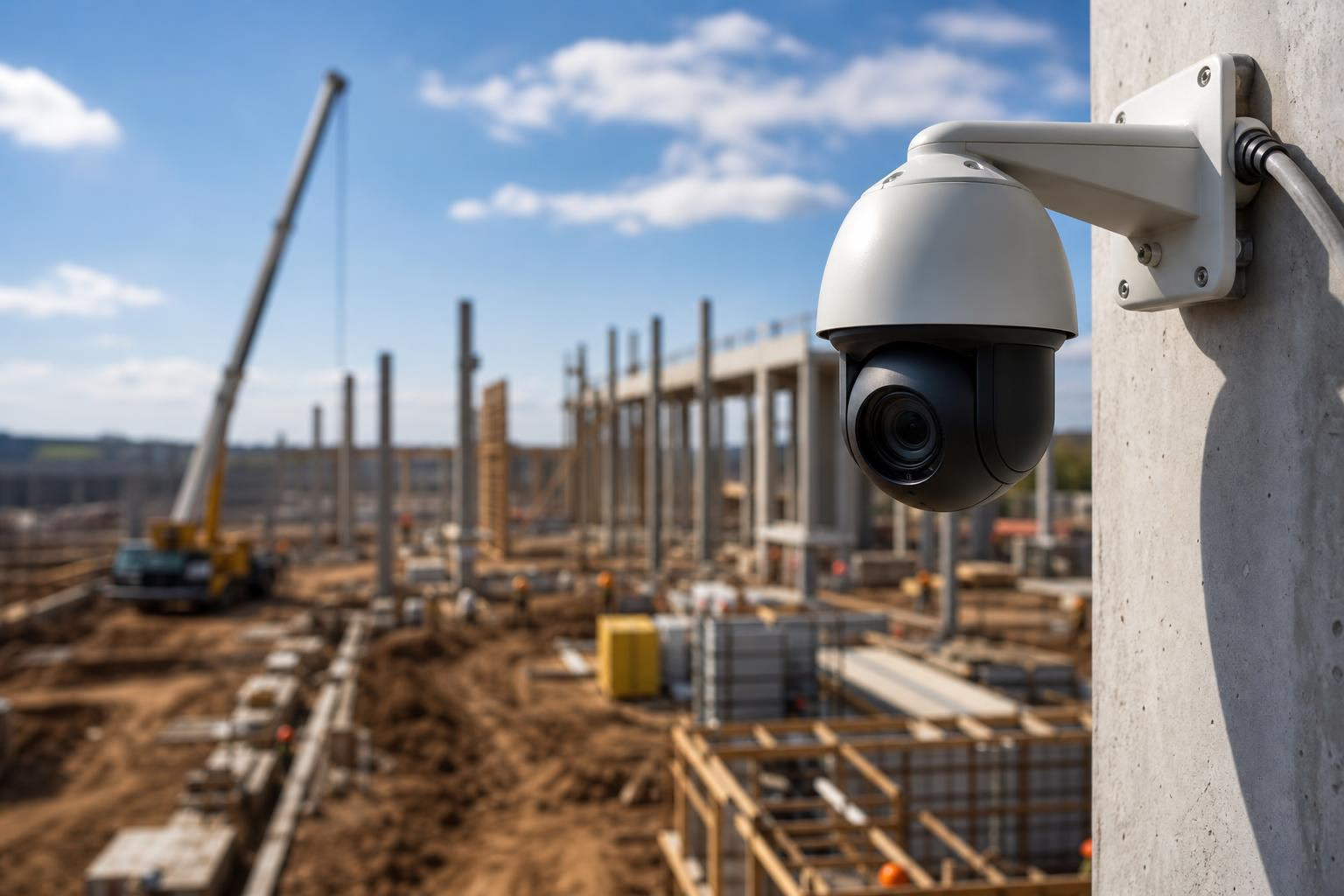
4K PTZ (pan-tilt-zoom) cameras capture timestamped, high-resolution imagery throughout a construction project, creating a visual evidence layer that supplements traditional as-built drawings in closeout packages. They provide multi-angle coverage from a single mount, support dispute resolution with searchable photo archives, and generate time-lapse deliverables automatically. They do not replace formal redlined plan sets, interior 360° capture, or laser scanning, but they fill a critical gap between what drawings show on paper and what actually happened on site.
Every closeout package tells the story of a project. As-built drawings show what was built. O&M manuals explain how to maintain it. Warranties promise how long it should last. But none of these documents answer a simple question that comes up again and again during turnover, warranty disputes, and future renovations: What did this actually look like when it was installed?
That’s where 4K PTZ imagery fits. It provides continuous, high-resolution photographic evidence of construction progress from mobilization through substantial completion. When incorporated into your closeout workflow, it creates a visual record that protects everyone involved, the owner, the GC, and every subcontractor on the project.
This guide defines every key term in the title, explains how they connect on real projects, and maps exactly where 4K PTZ camera imagery strengthens your closeout documentation.
Explore the 4K PTZ camera to see how it fits your next project.
As-built drawings are revised construction drawings that reflect the actual conditions of a completed project. They incorporate field changes, approved change orders, and deviations from the original design. Trade contractors typically create redline markups during construction, and those markups are later used to prepare the final as-built drawing set.
Here’s the distinction that matters: “as-built drawings” and “as-built documentation” are not the same thing. Drawings are the formal CAD or BIM plan sets, contractually binding documents that depict the building’s final construction. As-built documentation is broader. It includes those drawings plus photographic evidence, time-lapse records, inspection reports, and any visual verification that what was built matches the approved plans.
4K PTZ imagery serves the visual documentation layer. It does not produce or replace the drafting layer. But it gives you something drawings alone cannot provide: proof of what conditions looked like at a specific point in time.
A construction closeout package (sometimes called a turnover package) is the final, tangible product delivered to the owner. It compiles everything needed to confirm the project is complete and to support future facility management, renovations, and legal protection.
A typical closeout package includes:
As-built drawings
Operations and maintenance (O&M) manuals
Warranties and guarantees
Lien waivers
Punch list confirmation with sign-off
Final inspection reports
Commissioning records
Certificate of Substantial Completion
Certificate of Occupancy
Final application for payment
Change order records
Owner training documentation
The quality of this package matters more than most teams realize. According to NAHB 2025 data, a professional closeout package more than doubles a contractor’s 12-month referral rate, with 58% of clients referring compared to just 24% for contractors who deliver bare-minimum documentation. Using 4K PTZ imagery for as-built documentation and closeout packages raises the bar on what you hand over.
PTZ stands for pan-tilt-zoom. Unlike fixed cameras that capture a single angle, a PTZ camera provides user-controlled 360-degree panning movement and powerful optical zoom. This makes it capable of capturing panoramic images, multi-angle time-lapses, and detailed close-ups from a single mounting point.
The key feature for documentation purposes is presets. You can program a PTZ camera to rotate through multiple preset positions on a schedule, covering critical work zones, staging areas, building facades, and specific detail areas without anyone touching the camera. Each preset can generate its own independent time-lapse, meaning one camera effectively documents multiple zones simultaneously.
For a full breakdown of how presets, zoom, and rotation work together, see the camera features and capabilities page.
4K resolution (3840 x 2160 pixels) provides four times the pixel count of standard 1080p HD. For construction, the practical benefit is straightforward: you can zoom into archived still images after the fact and extract usable detail without physically visiting the site.
If you crop a 4K image down to 1080 resolution, you get an effective 2x zoom while maintaining full HD quality. That means you can pull a frame from your archive, crop into a specific connection detail, a piece of rebar, or a label on installed equipment, and still have a clear, usable image. With 1080p source material, that same crop turns into a blurry mess.
This post-capture zoom capability is what makes 4K resolution particularly valuable for as-built documentation. You won’t always know at the time of capture which details will matter later. 4K gives you the margin to find them after the fact.
Many general contractors now include a project time-lapse video as a standard part of the closeout package, right alongside as-builts and warranty documentation. This wasn’t common five years ago. Today, practitioners report that institutional developers and hyperscaler clients often expect visual project documentation as part of turnover.
Modern 4K PTZ camera platforms generate time-lapses automatically. Photos are captured at scheduled intervals, stitched nightly, and continuously updated throughout the project. There is no manual editing required during construction. The deliverable builds itself from day one.
You can see what these automated time-lapse videos look like in practice.
Using 4K PTZ imagery for as-built documentation creates a visual verification layer that complements your formal drawing sets. Here are the specific ways it adds value.
Every image captured by a 4K PTZ camera carries a date and time stamp. This creates an unambiguous record of what existed at a specific moment during construction. When a permit inspection is delayed, a subcontractor’s installation is questioned, or a change order needs to be justified after the fact, timestamped imagery provides evidence that no drawing markup can match.
A single PTZ camera can capture multiple simultaneous time-lapses from different vantage points. By programming presets for the main structure, material staging area, parking lot, and specific facade details, you get comprehensive site coverage from one mounting point. This reduces hardware costs and simplifies installation, especially on large jobsites where multiple fixed cameras would otherwise be needed.
A complete camera platform stores every captured photo in the cloud, retrievable by date and time, for the life of the project. This creates a searchable photographic record of every construction phase. When someone asks “what did the north elevation look like on March 14th before the cladding went up,” you have the answer in minutes, not days.
Weather delays are among the most common sources of schedule disputes. Platforms that log historical weather data alongside the photo archive give you corroborating visual and meteorological evidence on the same timeline. When your remote jobsite monitoring platform captures a rain-soaked site alongside the recorded weather overlay, you have documentation that holds up.
Practitioners on Reddit and construction forums consistently emphasize one rule: after every punch item is resolved, take a photo. This protects against future claims that work wasn’t completed or wasn’t done to standard. A PTZ camera’s preset zoom capability lets you photograph specific zones during punch walks without sending someone up a lift or across the site with a handheld camera.
Project managers overseeing multiple sites can pan to the material staging area, zoom in on a specific crew’s work, or check equipment positioning from a laptop or phone in real time. This eliminates costly site visits for routine check-ins and lets superintendents verify that corrective work has been completed before signing off remotely.
Not every closeout item benefits equally from camera imagery. The table below maps specific closeout package components to how 4K PTZ documentation contributes to each.
Closeout Item | How 4K PTZ Imagery Contributes |
|---|---|
As-built visual record | Timestamped stills showing installed conditions at each construction phase |
Punch list resolution | Preset zoom captures corrected items for sign-off documentation |
Weather delay claims | Weather overlay plus photographic archive searchable by date |
Progress verification | Multi-angle time-lapse showing sequential construction milestones |
Dispute and claim support | Searchable image archive with date/time metadata for every captured frame |
Change order justification | Before-and-after imagery proving field conditions that triggered changes |
Subcontractor work verification | Photographic evidence confirming installation quality and completion timing |
Owner/stakeholder deliverable | Polished time-lapse video included in turnover package |
This mapping is where using 4K PTZ imagery for as-built documentation and closeout packages becomes concrete. Each row represents a real scenario where camera imagery either resolves a question faster or prevents a dispute from escalating.
For examples of how project teams have used this approach, see real-world project examples from contractors who have deployed cameras across hundreds of projects.
Honesty about limitations matters more than hype. 4K PTZ camera imagery is a powerful supplement to your closeout documentation, but it does not substitute for several critical workflows.
As-built CAD and BIM drawings are contractually required plan sets that reflect final installed conditions with dimensional accuracy. 4K PTZ photos show what things looked like, not precise measurements or routing paths embedded in a drawing set. The best approach, as practitioners repeatedly note, is redlining drawings throughout construction as changes happen. PTZ archives provide a visual backstop for when redlines were missed, but they don’t generate the drawings themselves.
PTZ cameras are typically exterior-mounted. Interior as-built documentation, especially for MEP rough-ins behind walls, ceiling systems, and underground utilities, often requires 360-degree cameras, handheld photo documentation, or laser scanning. Pair your exterior PTZ coverage with interior walk-through photos for full project documentation.
For projects where a fixed exterior viewpoint is sufficient, a 4K static camera may be a simpler and more cost-effective choice for supplemental angles.
For dimensional accuracy, BIM integration, and precise spatial data, 4K PTZ imagery lacks the precision of lidar-based workflows. Point clouds and laser scans serve a fundamentally different purpose: they create measured 3D models. PTZ imagery creates visual evidence. These are complementary, not competing technologies.
One honest tradeoff worth understanding: PTZ cameras can rotate through 360 degrees, but they only capture 58 to 70 degrees of field of view at any given moment. As the camera pans between presets, there are brief intervals where certain zones aren’t being captured. This means a PTZ will have momentary blind spots as it rotates through its range. For most documentation purposes, preset scheduling at regular intervals covers this gap. But for continuous security monitoring of a single area, a fixed wide-angle camera may be more appropriate.
The philosophy that dominates practitioner conversations is simple: build your closeout binder as you go. Contractors who gather documents throughout construction finish closeout far faster than teams that scramble to assemble everything at the end. Automated 4K PTZ image capture aligns perfectly with this approach because the archive builds itself daily, without anyone remembering to take photos.
Here are specific steps to maximize the value of your camera imagery for closeout.
Start capture at mobilization, not midway through. The most valuable closeout archives begin on day one. Early-phase site conditions, demolition, excavation, and underground utilities are exactly the kind of work that gets covered up and forgotten. If your site lacks power during early phases, a solar power kit keeps cameras running 24/7 without waiting for the electrical rough-in.
Program presets intentionally. Don’t just point the camera at the building and walk away. Think about which areas will matter most during closeout: main entrances, loading docks, utility tie-ins, curtain wall sections, rooftop equipment locations. Each preset should serve a specific documentation purpose.
Tag or flag images at key milestones. Most platforms let you bookmark or tag specific dates. Flag concrete pours, steel topping out, envelope closure, and substantial completion. This makes retrieval during closeout dramatically faster than scrolling through months of daily captures.
Confirm export and retention rights before signing any camera agreement. This is practical advice that gets overlooked until it’s too late. The right arrangement gives you full ownership and download access to your photo archive and time-lapse videos at project closeout, regardless of whether you continue with the provider. Avoid agreements that limit your ability to export or retain footage after the rental period ends. Your documentation belongs to you.
Pair exterior PTZ imagery with interior documentation. A 4K PTZ camera covers the building exterior and site conditions comprehensively. But interior progress requires handheld photos, 360-degree captures, or additional cameras. Plan for both from the start so your closeout package tells the complete story.
Share access broadly during construction. When your platform supports 50 or more simultaneous users with unlimited accounts, there’s no reason to restrict access. Owners, architects, subcontractors, and lenders who can view progress in real time are less likely to raise disputes at closeout because they’ve been watching all along.
View camera pricing to understand costs for different project types and durations.
The construction industry has moved past the era when a binder of as-built drawings and a stack of warranties counted as a complete closeout package. Owners expect visual documentation. Developers want time-lapse deliverables. Legal teams want timestamped evidence. And project managers want a record that protects them when disputes arise two years after turnover.
Using 4K PTZ imagery for as-built documentation and closeout packages addresses all of these needs from a single, automated system. It won’t replace your redlined drawings or your laser scans. But it fills the gap between what paper documents claim happened and what the photographic record proves happened. That gap is where most disputes live, and closing it is worth the investment.
Request a free camera quote to get started on your next project.
No. As-built drawings are formal plan sets with dimensional data, routing information, and redline markups that reflect installed conditions. 4K PTZ imagery is a visual supplement that provides photographic evidence of what was built and when. Both serve important but different roles in the closeout package. Think of PTZ imagery as the proof layer that backs up what the drawings claim.
At minimum, retain imagery through the warranty period (typically one to two years for general construction). Many owners require permanent archiving for facility management and future renovation reference. Some platforms offer unlimited cloud storage for the project lifetime, which eliminates the need to decide retention timelines upfront. Confirm your contract terms to ensure you maintain access after the camera comes down.
It depends on your site and coverage needs. A PTZ camera covers multiple zones from a single mount using programmable presets, making it ideal for large sites or projects where you need several vantage points. A fixed camera provides constant coverage of one specific area without any rotation gaps. For most projects, a PTZ offers more documentation flexibility. For supplemental angles or targeted monitoring of a single zone, a fixed camera can be the right fit. Learn more in the construction camera FAQ.
4K (3840 x 2160) is the current standard for documentation-grade construction cameras. The practical reason: you can crop a 4K image to 1080 resolution and still maintain full HD quality, effectively giving you a 2x digital zoom after capture. This matters because you won’t always know which details will be important later. Lower resolutions limit your ability to extract useful detail from archived frames.
Not with modern platforms. Automated systems capture images at scheduled intervals and stitch them into continuously updating time-lapse videos, typically on a nightly basis. By the time you reach closeout, the time-lapse is already built. Final editing for a polished deliverable is optional. You can preview what this looks like by watching time-lapse video examples.
As early as mobilization. Pre-construction site conditions, demolition, excavation, and underground utility work are among the most valuable phases to document because that work gets buried and becomes invisible. Early deployment also means your time-lapse captures the full project arc, which makes for a more compelling owner deliverable at turnover.
Yes. Platforms designed for construction support dozens of simultaneous viewers with unlimited user accounts. This means owners, GCs, subcontractors, architects, lenders, and inspectors can all have independent access without sharing logins. Broad access during construction reduces surprises at closeout because stakeholders have been monitoring progress all along. You can try a live demo camera to see how multi-user access works in practice.